Website Security for Small Businesses in Bhopal: A Practical Guide
Written by: INEXTETS editorial team published on: 24 october 2026 | Last updated: 24 october 2026
A business website often serves as a first point of contact for customers. It may collect enquiries, accept bookings, publish service information or connect to third-party tools. If the site is compromised or unavailable, a business can lose enquiries and customer confidence. For small businesses in Bhopal, website security should be part of routine website maintenance—not something considered only after a problem occurs.
I Next ETS supports businesses with website development and related technical services. The right security steps depend on the site's platform, the data it handles and how it is maintained. A practical starting point is to review software updates, administrator access, backups, website forms and the process for responding to suspicious activity.
In this guide: why security matters locally • a practical checklist • warning signs • what to do if you suspect a hack • how to choose a provider • FAQs
Why website security matters to local businesses
Customers often check a business online before calling, visiting or making an enquiry. If a website shows browser warnings, behaves strangely or goes offline, visitors may leave and contact another provider. Smaller websites can also be affected, particularly when they run outdated software, reuse weak passwords or have neglected plugins.
Everyday situations show how this plays out for local businesses:
- A clinic whose appointment-booking form stops working may silently miss patient enquiries.
- A retailer whose contact form fills with spam can lose genuine customer messages among the noise.
- A consultancy or service company whose site redirects visitors to an unfamiliar page can quickly lose credibility.
- A hotel or hospitality business may find an old staff or vendor account still has administrator access long after they left.
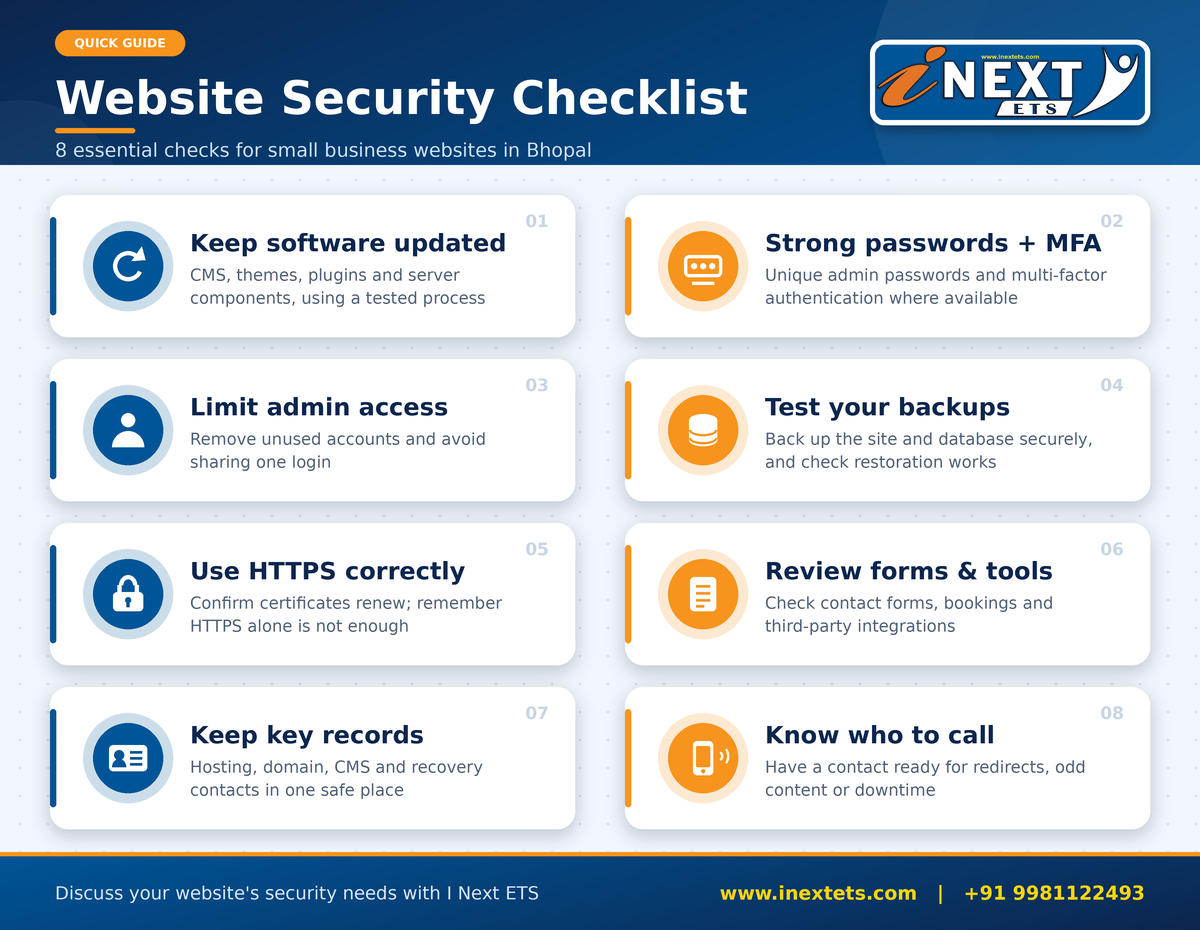
A practical website security checklist
Use this as a starting point and adapt it to your platform and how your website is managed.
- Updates: update the CMS, themes, plugins and server components using a tested maintenance process.
- Passwords & MFA: use unique administrator passwords and enable multi-factor authentication where available.
- Access: remove unused administrator accounts and limit access to people who need it. Avoid sharing one login.
- Backups: back up the site and database securely, and periodically test that restoration actually works.
- HTTPS: use HTTPS and check that certificates renew correctly.
- Forms & integrations: review contact forms, booking integrations and third-party tools; collect only the data you need.
- Records: keep a record of hosting, domain, CMS and recovery contacts in one safe place.
- Who to call: know who to contact if the site redirects visitors, shows unfamiliar content or becomes unavailable.
What website security should cover
 1. Vulnerability checks
A security review can help identify common weaknesses in a website, its software, plugins, configuration and user access. Finding issues early gives a business the chance to address them before they grow. The right scope depends on the website, the technology it uses and the information it handles.
2. Updates and ongoing maintenance
Outdated content management systems, themes and plugins can create avoidable exposure. Regular updates help reduce risks from known weaknesses. Plan them carefully, with backups and checks, so that important features such as forms keep working.
3. Secure access and account controls
Limit administrator accounts to people who need them, use strong unique passwords with multi-factor authentication where available, and remove accounts when staff or vendors no longer need access.
4. Backups and recovery planning
A reliable backup can help restore a website after an incident, accidental change or failed update. Store backups securely, test them, and agree who is responsible for restoration and for checking key pages and forms afterwards.
5. Protection for enquiries and business data
If your website handles contact forms, booking requests or customer information, those processes deserve attention too. Appropriate protection depends on what is collected, where it is stored and which services receive it.
Signs your business website needs attention
Consider arranging a review if you notice any of the following:
- unexpected redirects or pages you did not publish;
- unfamiliar administrator accounts;
- repeated downtime or browser warnings;
- suspicious emails about your hosting account;
- sudden changes to website files;
- software that has not been updated for a long time;
- no clear backup or recovery process.
Do not ignore a warning just because the site appears to work normally—some issues are not obvious to visitors.
What to do if you suspect your website has been hacked
Stay calm and avoid rushed changes.
- Contact your hosting provider or a qualified website/security administrator promptly.
- Preserve relevant alerts and logs where possible.
- Avoid deleting files or making unplanned changes before the issue is assessed.
- Secure affected accounts from a trusted device and follow a recovery plan suited to the incident.
- Seek advice: if customer information may have been exposed, get suitable legal, privacy or incident-response advice for your circumstances.
Choosing website security services in Bhopal
Before work starts, confirm the scope in writing. A clear review should explain:
- which website and environments will be reviewed;
- what checks are included and what is excluded;
- how findings will be prioritised;
- who implements the fixes;
- whether backups are taken first;
- what follow-up support is available.
Avoid choosing a provider on promises alone. No review can guarantee complete security; look for practical recommendations, transparent communication and a plan that fits your website. If your site is also due for a redesign, it can help to coordinate website development and security rather than treating them as separate tasks.
Website security support from I Next ETS
Every website has different security needs. I Next ETS can discuss your current setup, identify the areas you want reviewed and clarify practical next steps for maintenance and protection. Before work begins, we will confirm the agreed scope, deliverables, responsibilities and any follow-up support. This helps you understand what is being reviewed and what actions may be needed afterwards.
Talk to I Next ETS
Call +91 9981122493 or visit www.inextets.com to discuss your website requirements.
Helpful to mention: your website platform (e.g., WordPress or custom), who manages it today, and what concerns you most.
Further reading
- OWASP Web Security Testing Guide — owasp.org
- CISA cybersecurity guidance for small and medium-sized businesses — cisa.gov
This article is general guidance and does not guarantee that any website will be free from security incidents.