Why Your Website Gets Traffic but No Leads: 10 Conversion Problems
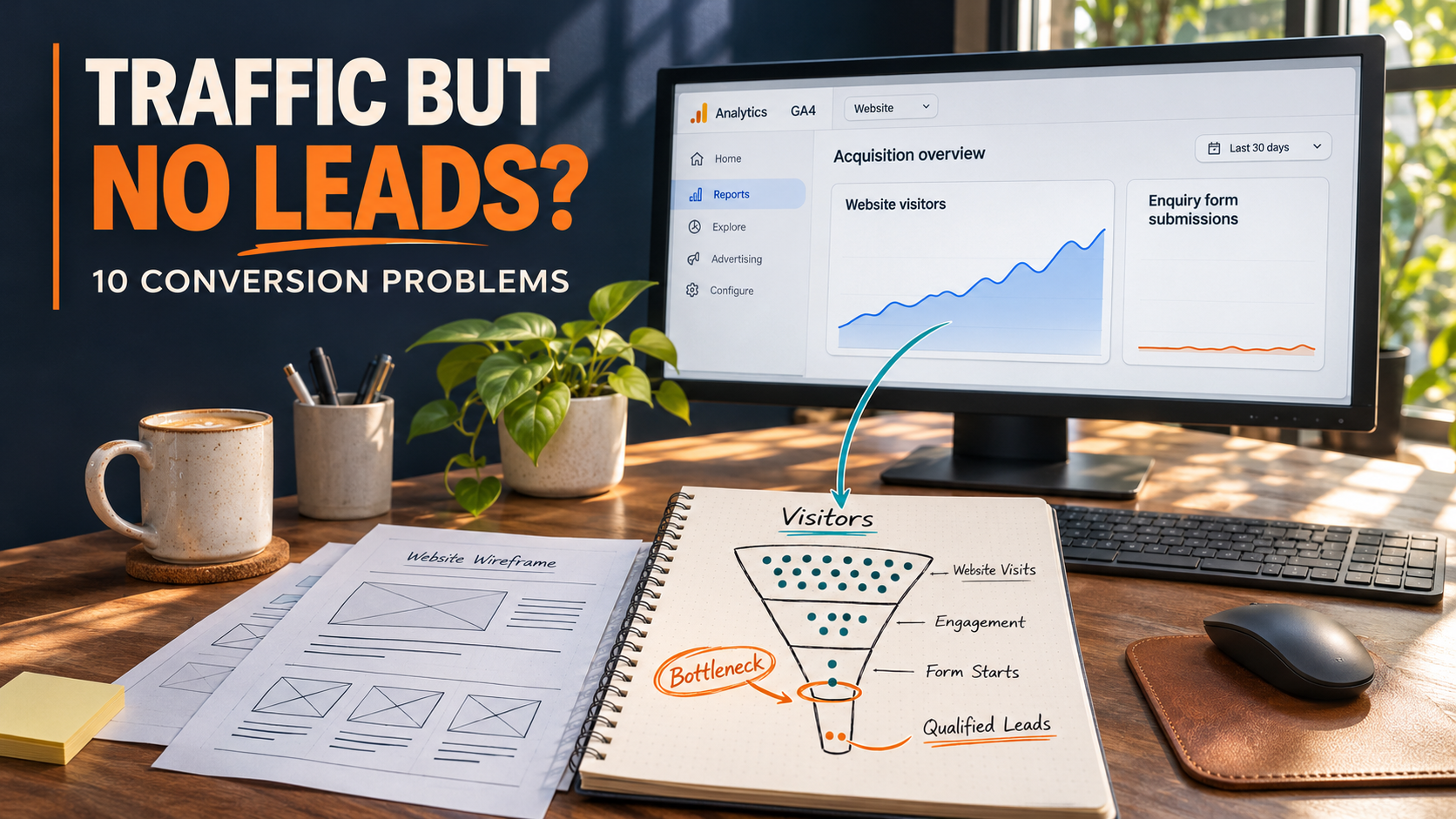
Your website is getting visitors. Google Analytics shows traffic coming from search engines, social media and paid advertising. People are clicking your links, exploring your pages and spending time on your website.
But there's one problem.
Your website traffic isn't turning into enquiries, bookings or customers.
If this sounds familiar, you're not alone.
Many businesses focus heavily on increasing website traffic without understanding why visitors aren't taking action. They invest in SEO, Google Ads, social media marketing and content creation, expecting more traffic to automatically generate more business.
However, website traffic and lead generation are two different things.
A website can attract thousands of visitors and still struggle to generate qualified leads if its messaging, design, user experience or conversion process isn't effective.
The solution isn't always spending more money on marketing. Sometimes, improving your existing website can create better results from the traffic you already receive.
This process is called Conversion Rate Optimization (CRO).
In this guide, we'll explore 10 common reasons your website gets traffic but no leads, how to identify these conversion problems and what you can do to turn more visitors into potential customers.
What Is Website Conversion Rate Optimization?
Website Conversion Rate Optimization (CRO) is the process of improving a website to increase the percentage of visitors who complete a valuable action.
Depending on your business, a conversion could be:
Submitting a contact form
Requesting a quotation
Booking a consultation
Scheduling a demonstration
Making a purchase
Registering for a service
Calling your business
Starting a WhatsApp enquiry
For example, suppose your website receives 5,000 visits in a month and generates 50 enquiries.
Your visit-to-lead conversion rate would be:
Conversion Rate = (Number of Leads ÷ Number of Visits) × 100
50 ÷ 5,000 × 100 = 1%
Now imagine that improvements to your website increase the number of enquiries to 100 while traffic remains unchanged.
Your conversion rate would become 2%.
In this hypothetical example, the website generates twice as many leads without requiring additional visitors.
That is the potential value of website conversion optimization.
For consistent reporting, use the same traffic denominator throughout your analysis, such as sessions. A session-based conversion rate is not identical to a user-based conversion rate.
10 Reasons Your Website Gets Traffic but No Leads
1. Your Website Attracts the Wrong Audience
One of the biggest reasons businesses receive website traffic but no leads is a mismatch between the visitors they attract and the services they actually offer.
Not every visitor is a potential customer.
For example, imagine a company offering premium custom website development.
Its website receives significant traffic from searches like:
"How to create a website for free"
This keyword may generate visitors, but many are looking for free tools rather than professional development services.
The traffic exists, but the commercial intent is weak.
How to identify this problem
Open Google Search Console and examine the search queries driving organic impressions and clicks.
Ask:
Do these keywords match our actual services?
Are visitors researching, comparing or ready to buy?
Does each landing page satisfy the query that brought the visitor there?
Are our most visited pages connected to relevant commercial services?
How to fix it
Build a keyword strategy around search intent.
For example:
Informational keyword: "What is website development?"
Commercial keyword: "Website development company in India"
High-intent keyword: "Hire website developers for an e-commerce website"
Informational content can still build awareness, but businesses should create clear pathways from educational pages to relevant services.
A focused SEO strategy can help businesses attract visitors whose needs align with the solutions they provide.
2. Your Website Has a Weak or Confusing Value Proposition
When someone lands on your website, they should quickly understand three things:
What does your business offer?
Who is it for?
Why should they consider your solution?
If visitors cannot answer these questions, they may leave without exploring further.
Consider this homepage headline:
"We Provide Innovative Digital Solutions."
It sounds professional, but it doesn't clearly explain what the company actually does.
Now consider:
"Custom Website Development for Businesses That Want More Online Enquiries."
The second message is more specific.
It explains the service, target audience and expected business benefit without guaranteeing a particular result.
How to fix it
Create a strong value proposition near the top of your homepage.
Include:
A clear service-focused headline
A short explanation of the benefits
Your target audience
A relevant supporting visual
One prominent call to action
Avoid vague statements such as "revolutionizing the digital world" unless you also explain the practical value customers receive.
Expert tip: Ask someone unfamiliar with your company to look at your homepage for five seconds. Then ask them what your business does. If they cannot explain it clearly, your messaging probably needs improvement.
3. Your Calls to Action Are Weak or Difficult to Find
A call to action (CTA) tells visitors what they should do next.
Without a clear CTA, visitors may browse your website and leave without contacting your business.
Common weak CTAs include:
Submit
Click Here
Learn More
Read More
These buttons aren't always wrong, but they often fail to communicate the value of taking action.
Better CTA examples
For a website development company:
"Request a Website Consultation"
For a digital marketing agency:
"Discuss Your Lead Generation Goals"
For a software development company:
"Get a Project Estimate"
For a service business:
"Book a Consultation"
How to fix it
Place relevant CTAs in important sections of your website:
Homepage hero section
Service descriptions
Case studies
Pricing or package sections
Blog articles
Footer
Use clear, specific wording and make buttons visually distinguishable.
Don't overwhelm visitors with several competing actions in the same section.
If your main objective is generating enquiries, prioritize a primary CTA that supports that goal.
4. Your Website Loads Slowly
Website performance directly affects the experience visitors have when interacting with your business.
A slow-loading website can create frustration, particularly for users on mobile devices or slower connections.
Visitors may leave before seeing your services, contact form or CTA.
Common causes include:
Oversized images
Unoptimized videos
Excessive JavaScript
Poor hosting configuration
Unnecessary third-party scripts
Render-blocking resources
Inefficient website code
Google uses Core Web Vitals to evaluate important aspects of user experience.
These metrics include:
Largest Contentful Paint (LCP)
Measures how quickly the main visible content loads.
Interaction to Next Paint (INP)
Measures responsiveness to user interactions.
Cumulative Layout Shift (CLS)
Measures unexpected visual movement.
Google's recommended "good" thresholds are LCP of 2.5 seconds or less, INP of 200 milliseconds or less and CLS of 0.1 or less, measured at the 75th percentile of page loads.
These are useful technical targets, but good scores alone do not guarantee more leads.
How to fix it
Compress large images
Use modern image formats
Reduce unnecessary scripts
Implement appropriate caching
Optimize loading priorities
Improve hosting and backend response times
Test your important landing pages with PageSpeed Insights
Focus on improving the real experience of visitors instead of chasing perfect performance scores without considering usability.
A properly implemented website development strategy can address technical problems that make websites difficult to use.
5. Your Website Isn't Optimized for Mobile Users
A website might look attractive on a desktop computer but become frustrating on a smartphone.
Common mobile conversion problems include:
Tiny text
Buttons placed too close together
Forms extending beyond the screen
Difficult navigation
Images overlapping content
Popups covering important information
Contact buttons that are difficult to tap
This is particularly important for businesses whose traffic comes from Instagram, Facebook, Google Ads or mobile search.
How to fix it
Use a responsive, mobile-first design.
Make sure:
Important information appears clearly on smaller screens
Buttons are easy to tap
Forms are simple to complete
Navigation is intuitive
CTA buttons remain accessible
Pages load efficiently on mobile connections
Test your website on actual smartphones, not only desktop browser simulations.
Expert tip: Complete your entire customer enquiry journey on a phone. Start from the landing page, navigate to the relevant service and submit the contact form.
If any step feels inconvenient, investigate whether it is contributing to lost leads.
6. Your Contact Forms Are Too Long or Complicated
Imagine a visitor wants a quotation for a new business website.
They click "Get a Quote" and encounter a form asking for:
Full name
Business name
Email address
Phone number
City
Business category
Annual revenue
Number of employees
Project description
Budget
Preferred contact time
At this stage, the visitor may not be ready to share so much information.
Long or confusing forms can create unnecessary friction.
How to fix it
Ask only for information needed to start a useful conversation.
For many service businesses, an initial enquiry form could contain:
Name
Email address or phone number
Required service
Short project description
Additional details can be collected during consultation.
Other improvements include:
Clearly identifying mandatory fields
Showing helpful validation messages
Avoiding unnecessary account creation
Making forms mobile-friendly
Displaying a clear confirmation message
Explaining when and how the business will respond
Important: Always test the entire form submission process. A form can appear functional while failing to deliver enquiries to the intended email address or CRM.
7. Your Website Doesn't Build Enough Trust
Before contacting a company, potential customers want reassurance that they are dealing with a legitimate and capable business.
If your website doesn't provide sufficient information, visitors may hesitate to submit an enquiry.
Common trust problems include:
No company information
No portfolio or relevant work examples
No identifiable team or business details
Missing contact information
Generic testimonials without context
Outdated design
Broken pages
Unclear privacy information
How to fix it
Provide genuine evidence of your capabilities.
Useful trust-building elements include:
An informative About Us page
Relevant project examples
Authentic client testimonials
Detailed service descriptions
Business contact information
Clear privacy and data-handling information
Case studies describing actual challenges and outcomes
Avoid fabricated testimonials, misleading badges and unverifiable statistics.
For a service-based business, a well-presented project portfolio can help visitors understand the type of work the company performs.
Explore the I Next ETS portfolio as an example of how project information can be made accessible to potential clients.
8. Your Landing Pages Don't Match Your Advertising Message
Suppose someone clicks a Google ad offering:
"Custom E-commerce Website Development"
But the landing page opens on a generic homepage that promotes many unrelated services.
The visitor must now search for the offer they originally clicked.
This creates friction between the advertisement and the website experience.
How to fix it
Create landing pages aligned with campaign intent.
A landing page for e-commerce development should include:
A relevant headline
A clear explanation of the service
Important features and benefits
Suitable project examples
Relevant FAQs
A prominent enquiry CTA
The language and offer should remain consistent from the ad to the landing page.
For example:
Ad: "Need a Custom E-commerce Website?"
Landing page headline: "Custom E-commerce Website Development for Growing Businesses"
CTA: "Discuss Your E-commerce Project"
This creates a more consistent experience.
Businesses investing in paid campaigns should regularly review landing-page performance as part of their digital marketing strategy.
9. Visitors Have Too Many Distractions and Navigation Options
A website can contain valuable information while making it unnecessarily difficult for visitors to find what they need.
Common problems include:
Overcrowded navigation menus
Excessive popups
Too many competing CTAs
Important information hidden deep within pages
Distracting animations
Unclear service categories
Unnecessary form steps
Every additional decision can create friction in the customer journey.
How to fix it
Simplify the path to conversion.
For example, a website development service page could follow this structure:
Clear service headline
Short benefits explanation
Key capabilities
Relevant examples
Development process
Common questions
Consultation CTA
This structure helps visitors understand the service before deciding whether to contact the business.
You don't need to remove every navigation option or visual element.
The objective is to make the visitor's next step obvious.
10. You're Not Tracking Conversions or Understanding Visitor Behaviour
This is one of the most overlooked website conversion problems.
Businesses often monitor traffic, impressions and clicks without accurately measuring enquiries.
For example, your marketing dashboard may show:
10,000 website visits
500 CTA clicks
150 form interactions
But how many actual enquiries were successfully submitted?
How many were qualified?
And how many became customers?
Without reliable conversion tracking, businesses may invest in campaigns that produce traffic but little commercial value.
How to fix it
Configure meaningful events in Google Analytics 4 (GA4) using Google Tag Manager or another appropriate implementation.
Google recommends the generate_lead event for actions such as successful lead-form submissions.
Other useful interactions may include:
Contact button clicks
Phone link clicks
WhatsApp link clicks
Consultation booking completions
Quote request completions
However, a button click should not automatically be counted as a confirmed lead.
For example, clicking a WhatsApp link demonstrates intent, but it doesn't prove that a message was sent or that the business received a qualified enquiry.
Use confirmed completion events wherever possible.
For businesses using Google Ads, ensure the appropriate conversion actions are configured and tested.
Tracking should also follow applicable consent, privacy and data-protection requirements.
Expert recommendation: Evaluate not only cost per lead, but also lead quality and cost per qualified lead.
Accurate measurement helps businesses identify which campaigns and website pages produce meaningful results.
How to Identify Where Your Website Is Losing Leads
Before redesigning your entire website, investigate where visitors are dropping out.
A structured conversion audit can reveal whether the problem is traffic quality, page experience, form friction or something else.
Step 1: Analyze Traffic Sources
Use GA4 to review how visitors arrive at your website.
Compare:
Organic search traffic
Paid search traffic
Social media traffic
Referral traffic
Direct traffic
Look for meaningful differences in engagement and conversions.
Step 2: Identify High-Traffic, Low-Conversion Pages
Find the landing pages receiving substantial traffic but generating few enquiries.
These pages may offer the greatest opportunity for improvement.
Step 3: Test Your Conversion Journey
Complete important actions yourself.
Try submitting forms, requesting quotations, clicking contact buttons and booking consultations.
Test both desktop and mobile experiences.
Step 4: Review User Behaviour
Privacy-conscious session recordings and heatmaps can help identify navigation problems, ignored CTAs and confusing page sections.
Interpret this evidence carefully and avoid collecting sensitive information unnecessarily.
Step 5: Prioritize Changes and Test Them
Start with problems that have a clear impact on user experience.
Examples include:
Repairing broken contact forms
Improving mobile CTA visibility
Clarifying confusing headlines
Reducing unnecessary form fields
Fixing major loading issues
Where traffic permits, use controlled experiments to evaluate changes.
Avoid assuming that every design modification will increase conversions.
Website Conversion Rate vs Lead Quality: What's More Important?
A higher conversion rate is useful, but it shouldn't be your only objective.
Consider two hypothetical campaigns.
Campaign A
1,000 visits
50 enquiries
5 qualified leads
Campaign B
1,000 visits
25 enquiries
15 qualified leads
Campaign A has a higher visit-to-enquiry conversion rate.
However, Campaign B produces more qualified leads.
This illustrates why website optimization should focus on business outcomes rather than simply increasing form submissions.
For service businesses, useful performance metrics include:
Visit-to-lead conversion rate
Qualified lead rate
Cost per lead
Cost per qualified lead
Lead-to-customer conversion rate
Customer acquisition cost
These metrics provide a clearer picture of marketing effectiveness.
How SEO and Conversion Rate Optimization Work Together
SEO and conversion rate optimization serve different but complementary purposes.
SEO helps relevant people discover your website.
CRO helps those visitors understand your offering and complete useful actions.
For example, a website may rank for relevant commercial keywords but still generate few enquiries because its service pages lack compelling messaging or clear contact options.
Alternatively, a beautifully designed landing page may have strong conversion potential but receive little qualified traffic.
An effective digital strategy addresses both challenges.
By combining website performance improvements, content optimization, conversion-focused design and targeted lead generation services, businesses can work toward attracting more relevant visitors and converting them into genuine sales opportunities.
Website Conversion Optimization Checklist
Use this quick checklist to review your own business website.
Our homepage clearly explains what we offer.
Our website attracts visitors searching for relevant services.
Each important page has a clear CTA.
Our website works properly on mobile devices.
Important pages load efficiently.
Our enquiry forms are short and functional.
Visitors can easily find contact information.
We provide genuine testimonials or relevant work examples.
Our landing pages match our advertising messages.
We track completed enquiries accurately.
We regularly review qualified leads, not only traffic.
We test improvements instead of relying on assumptions.
If several items are unchecked, your website may have opportunities to improve its conversion performance.
Frequently Asked Questions
1. Why is my website getting traffic but no leads?
Common reasons include irrelevant traffic, unclear messaging, poor mobile usability, slow loading, weak CTAs, complicated forms, insufficient trust signals and incorrect conversion tracking. A website audit can help identify the specific problems.
2. How can I increase website conversions without increasing traffic?
Improve your existing landing pages by clarifying their value proposition, simplifying enquiry forms, strengthening CTAs, building trust and removing unnecessary friction. Measure the results and test changes where practical.
3. What is a good website conversion rate?
There is no universal conversion rate that applies to every industry. Performance varies by traffic source, visitor intent, business model and conversion definition. Compare your results with relevant historical data and prioritize qualified leads.
4. Does website speed affect lead generation?
Website speed can influence usability and whether visitors remain engaged long enough to take action. Improving loading performance may remove friction, but the commercial impact should be evaluated using actual conversion data.
5. Can SEO generate leads for a business website?
Yes. SEO can help attract visitors who are searching for relevant products or services. However, generating qualified leads also requires suitable landing pages, clear offers, trust signals and effective contact options.
6. How do I calculate my website conversion rate?
Divide the number of completed conversions by the relevant number of visits or sessions, then multiply by 100. Use a consistent denominator when comparing performance over time.
7. Why are people clicking my ads but not submitting forms?
Possible causes include mismatched ad messaging, weak landing-page content, slow mobile performance, excessive form fields or technical errors. Compare ad intent with landing-page content and test the submission process.
8. What is the difference between SEO and CRO?
SEO focuses on improving website visibility in search results, while CRO focuses on increasing the proportion of visitors who complete valuable actions. Both can contribute to an effective digital marketing strategy.
9. Should I redesign my website if it doesn't generate leads?
Not necessarily. Begin with a conversion audit. Some problems can be resolved through targeted improvements to messaging, forms, CTAs, tracking or page performance. A complete redesign may be appropriate when deeper structural problems exist.
10. How can I find out what's stopping visitors from contacting my business?
Review GA4 and Search Console data, test forms, inspect mobile usability, examine landing-page messaging and gather user feedback. Prioritize verified issues and measure improvements.
Final Thoughts: More Traffic Doesn't Automatically Mean More Customers
Getting people to visit your website is only one part of digital marketing.
The real challenge is creating an online experience that helps the right visitors understand your services, trust your business and take meaningful action.
If your website gets traffic but no leads, increasing your advertising budget may not solve the underlying problem.
Start by reviewing your traffic quality, landing pages, messaging, website speed, mobile usability, contact forms and conversion tracking.
Small, carefully tested improvements can sometimes make an important difference to the effectiveness of your existing marketing investment.
The goal isn't simply to attract more website visitors. It's to create more opportunities to turn relevant visitors into customers.
Is Your Website Getting Traffic but Not Generating Enquiries?
Your website should do more than look professional. It should help potential customers understand your business and make it easy for them to get in touch.
At I Next ETS, we offer website development, SEO, digital marketing and lead generation solutions designed to support business growth.
If you're concerned about low website conversions, our team can help you explore opportunities to improve your digital presence and customer enquiry journey.
Ready to understand what's holding your website back?
Contact I Next ETS to discuss a website review and consultation.
I Next ETS — Turning Digital Experiences into Business Opportunities.